
티스토리 뷰
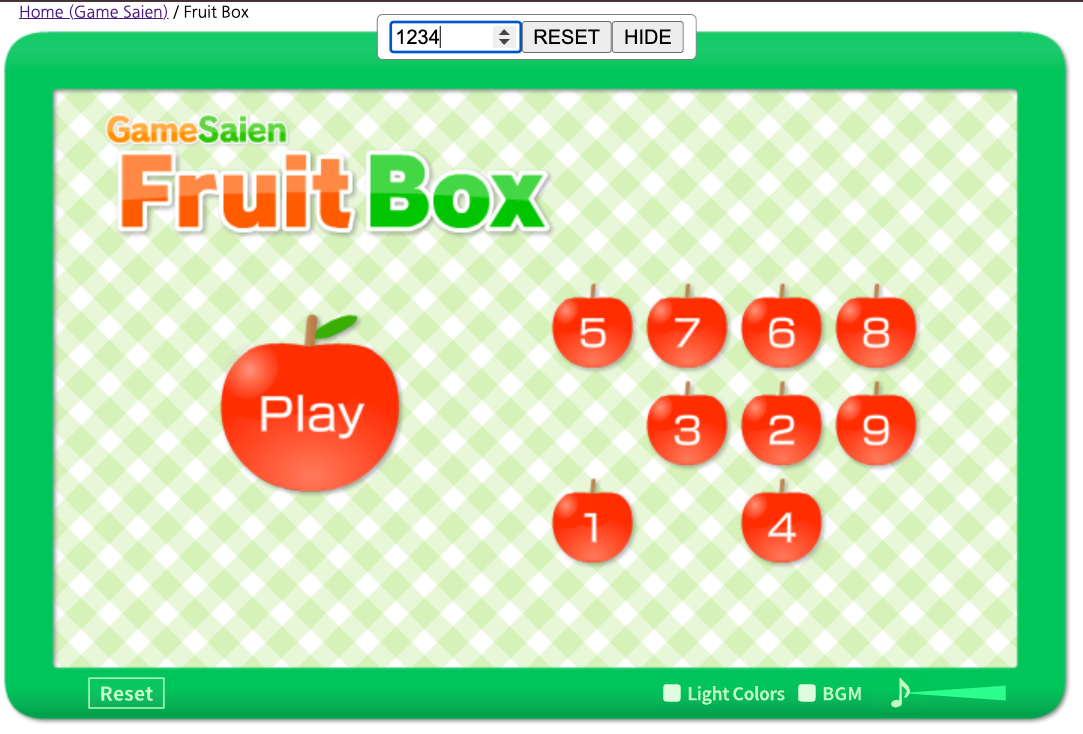
javascript:window._s=0;document.getElementById("_s_input")||document.body.insertAdjacentHTML("afterbegin",'<span id="_s_box" style="position:fixed;top:8px;left:50%;transform:translateX(-50%);z-index:2147483647;background:#fff;padding:4px 8px;border:1px solid #888;border-radius:4px"><input type="number" id="_s_input" value="0" style="width:6em"><button onclick="window._s=+document.getElementById(\'_s_input\').value">RESET</button><button onclick="document.getElementById(\'_s_box\').remove()">HIDE</button></span>');Math.random=function(){_s|=0;_s=(_s+0x6D2B79F5)|0;let t=Math.imul(_s^(_s>>>15),1|_s);t=(t+Math.imul(t^(t>>>7),61|t))^t;return((t^(t>>>14))>>>0)/4294967296;};사과 게임을 많이하다가, 지나간 게임이 아쉬워서 만들었다. 이러저러한 노력끝에 북마클릿으로 등록해 사용하면 좋을 것 같아서 압축적으로 표현해 봄.
javascript:
window._s = 0;

document.getElementById("_s_input") ||
document.body.insertAdjacentHTML(
  "afterbegin",
  '<span id="_s_box" style="position:fixed;top:8px;left:50%;transform:translateX(-50%);z-index:2147483647;background:#fff;padding:4px 8px;border:1px solid #888;border-radius:4px">' +
    '<input type="number" id="_s_input" value="0" style="width:6em">' +
    '<button onclick="window._s=+document.getElementById(\'_s_input\').value">RESET</button>' +
    '<button onclick="document.getElementById(\'_s_box\').remove()">HIDE</button>' +
  '</span>'
);

Math.random = function () {
  _s |= 0;
  _s = (_s + 0x6D2B79F5) | 0;
  let t = Math.imul(_s ^ (_s >>> 15), 1 | _s);
  t = (t + Math.imul(t ^ (t >>> 7), 61 | t)) ^ t;
  return ((t ^ (t >>> 14)) >>> 0) / 4294967296;
};
스타일링은 역시나 AI 써야 잘 나오는 것 같다. 랜덤함수도 Mulberry32라는 것을 추천받아 사용해 봄.
You can add a bookmarklet with the above code. This helps you control your browser's Math.random() function, for example to manupulate the initiating logic of casual games's random functionality.
반응형
댓글
공지사항
최근에 올라온 글
최근에 달린 댓글
- Total
- Today
- Yesterday
링크
TAG
- MySQL
- Linux
- tattertools
- 클레로덴드럼
- 구근
- perl
- JavaScript
- 덴드롱
- 수선화
- Tattertools plugin
- 대화
- writely
- SVN
- ssh
- BlogAPI
- OpenID
- nodejs
- TCP/IP
- 퀴즈
- 커피
- url
- VIM
- 벤자민
- macosx
- 오픈소스
- SSO
- 킹벤자민
- 식물
- Subversion
- 디버깅
| 일 | 월 | 화 | 수 | 목 | 금 | 토 |
|---|---|---|---|---|---|---|
| 1 | 2 | 3 | ||||
| 4 | 5 | 6 | 7 | 8 | 9 | 10 |
| 11 | 12 | 13 | 14 | 15 | 16 | 17 |
| 18 | 19 | 20 | 21 | 22 | 23 | 24 |
| 25 | 26 | 27 | 28 | 29 | 30 | 31 |
글 보관함